
Turn "out of stock" into your next sale.
Back-in-stock alerts that capture the shoppers you're losing today — and automatically win the sale back the moment the product returns. Cron-authoritative, so it fires however stock comes back. Plus a genuinely capable free tier.
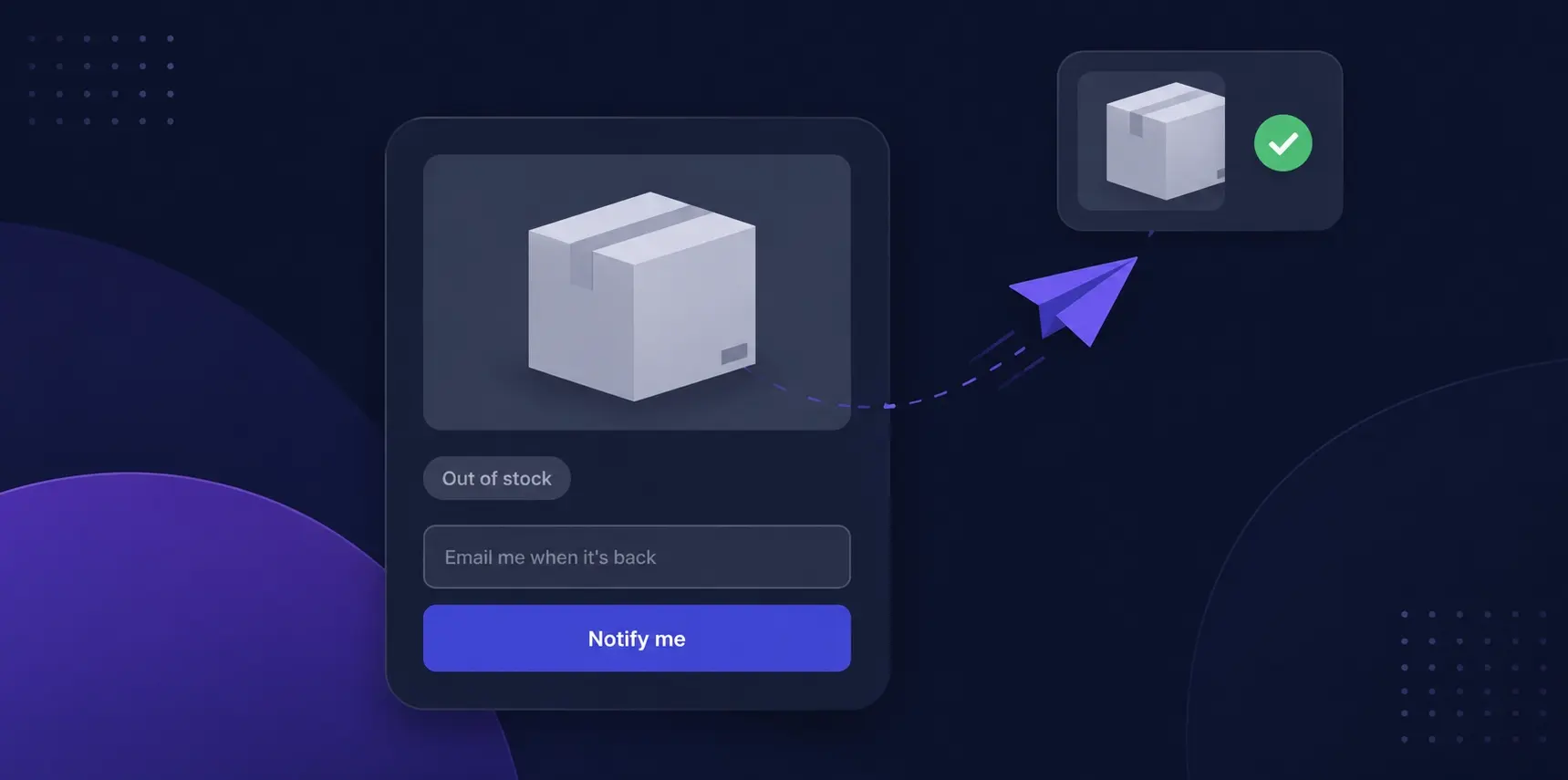
The problem
Every "out of stock" is a shopper walking out the door.
A sold-out product page is a dead end. The shopper leaves — maybe for good — and you never learn they wanted it. Worse, when stock does come back through your supplier sync, a cancelled order or an import, nobody tells them. The demand was real; you just had no way to capture it and no way to win it back.
Capture the demand. Win the sale back.
Capture demand you can't see
Every "notify me" is a high-intent lead you were otherwise losing at the shelf — captured with a static-first subscribe form on any out-of-stock product page.
Never miss a restock
The alert fires however stock comes back — supplier sync, order cancellation, import or API. Detection is cron-authoritative, not tied to a save event that never fires.
Win the sale back automatically
The shopper gets a branded email the moment the product is buyable again, linked straight to the PDP. Zero manual work.

A subscribe form where the dead end used to be.
When a product goes out of stock, shoppers hit a dead end — and leave. BackInStock puts a one-field "email me when it's back" form where the Add to Cart button used to be, so you capture the shopper instead of losing them.
- Works with zero JavaScript (a real form POST), then upgrades to a smooth AJAX experience on Alpine-aware themes
- Guest or logged-in — no account required to subscribe
- CSRF-safe (
form_key), honeypot-friendly, one row per shopper per product - Renders on Luma, Hyvä and Lurox — static-first, no theme lock-in
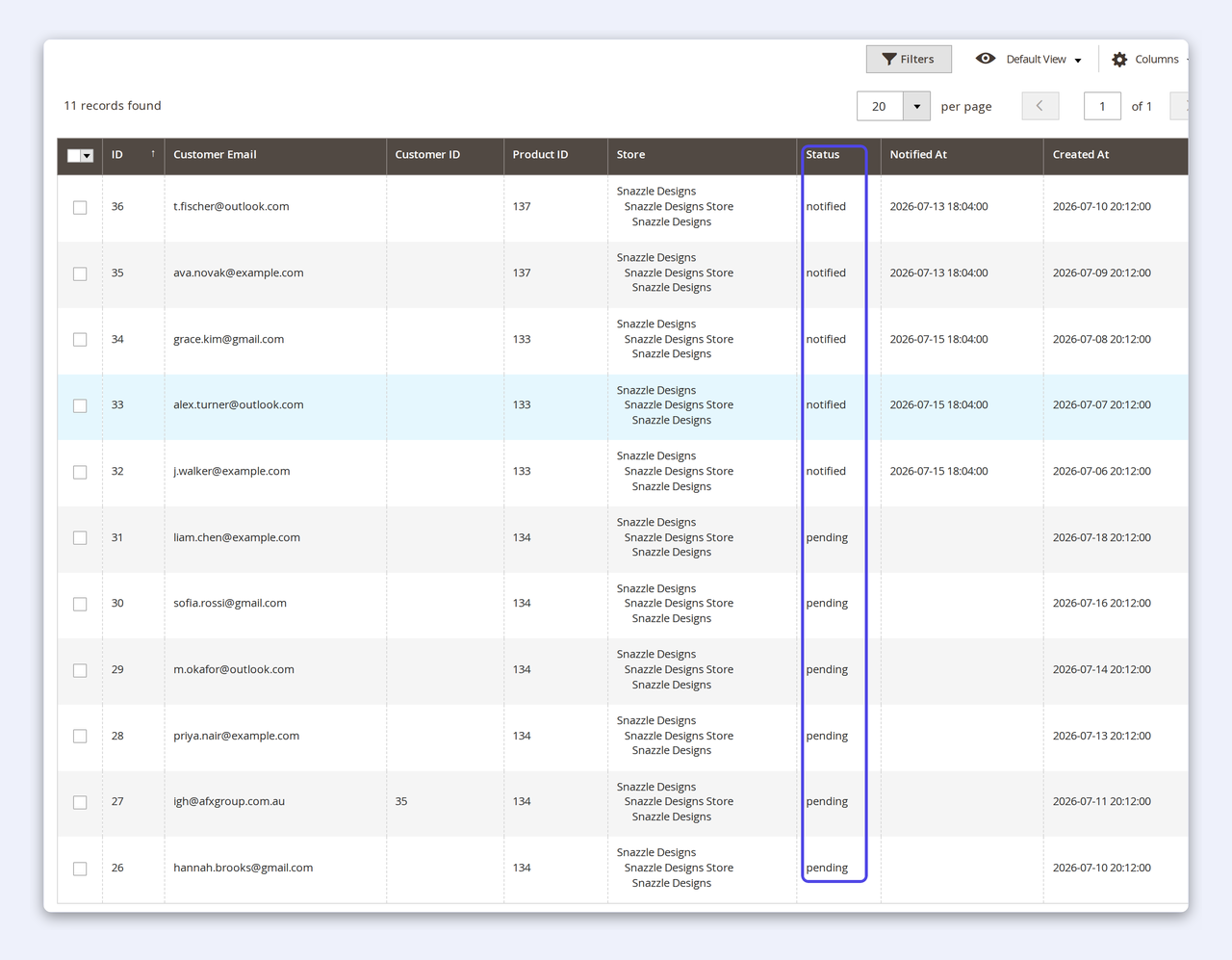
The restock detector most modules get wrong.
Many back-in-stock modules listen for a product save event — which never fires when stock returns through Magento's common paths (MSI source/stock-item updates, order cancellation, import, the REST API). Those shoppers are simply never told.
BackInStock is cron-authoritative: every few minutes it checks each waiting product's current salable stock and sends — so it fires by construction, whatever brought the stock back. It also fails closed: a lookup error never sends a false "it's back" email. And you get a clean admin grid of exactly who's waiting on what.
Why merchants pick CPS Back In Stock.
Fires on every restock path
Cron-authoritative detection reads current salable stock — so supplier syncs, cancellations, imports and API restocks all notify, not just a manual product edit.
A genuinely free tier
Subscribe form, auto-notify and the admin grid — free forever. It beats native Magento, which is registered-customers-only and gives you no grid.
Self-hosted, theme-agnostic
Luma, Hyvä and Lurox; a static-first form with no Alpine dependency and no third-party SaaS. Sends through your own transactional mail.
Pro analytics built in
See demand build — subscribers, notification rate and the products shoppers want most — per website, from one dashboard.
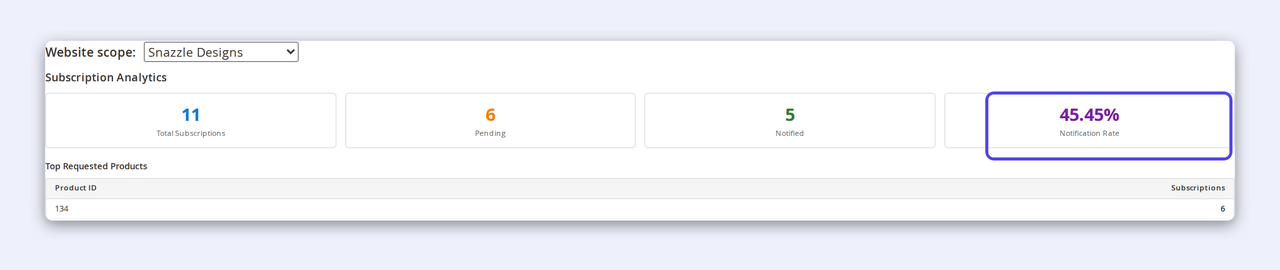
Turn your waiting-list into demand intelligence.
Stop guessing what your shoppers want. The Pro analytics dashboard turns your waiting-list into demand intelligence — so you know what to reorder and what's worth chasing your supplier for.
- Total subscribers, pending vs notified, and your notification rate at a glance
- Top requested products — the demand signal, ranked
- Scoped per website, so multi-store analytics never leak across brands
- Every waiting shopper is a warm lead the moment stock returns
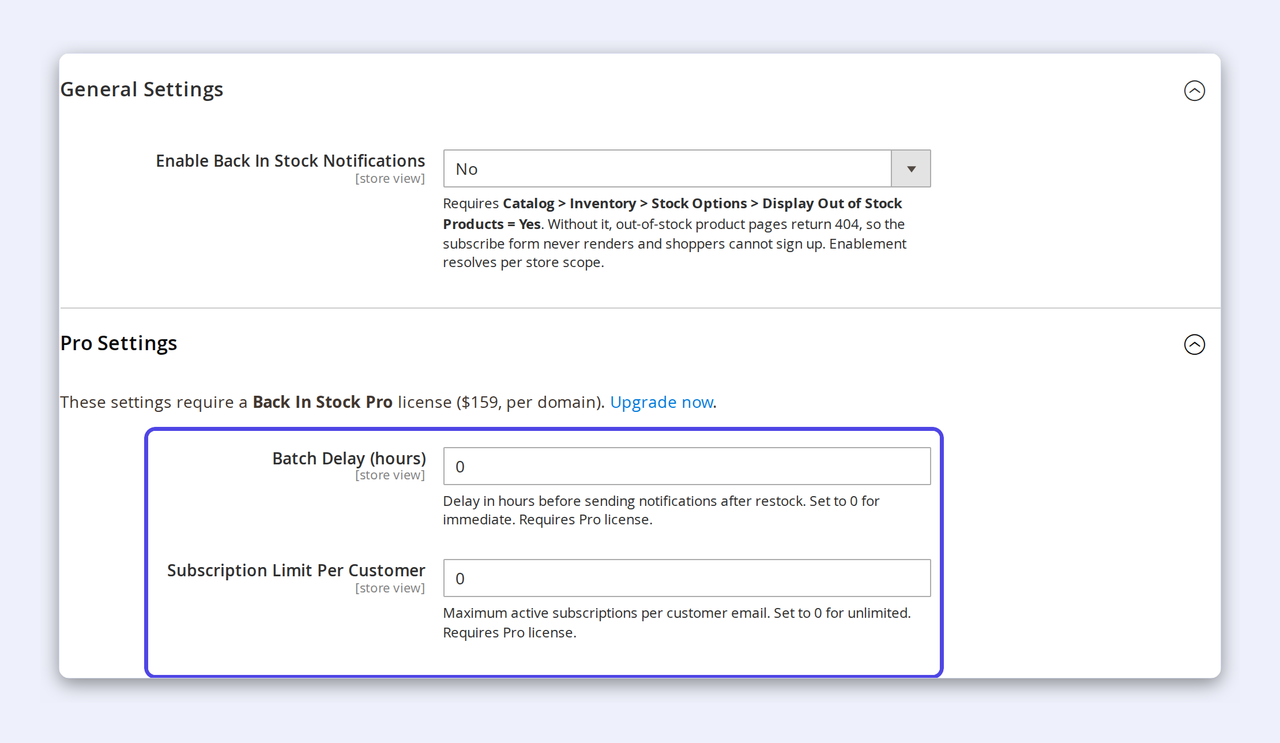
Send on your terms.
When a popular product restocks, a hundred emails firing at once can swamp your mail stream and your stock. Pro gives you the controls to send smart.
- Batch-delay send — hold notifications for a set window so a brief stock blip doesn't trigger a false alert, and volume stays smooth
- Per-customer subscription limit — cap active subscriptions per email to keep the list clean
- All store-scoped, all in the admin you already know
From the shelf to the admin — see the whole flow.
Two ways to handle it
The out-of-stock page doesn't have to be the end.
How-to
How to set up back-in-stock alerts
From install to your first captured shopper takes minutes — no code, no core changes.
- 1Install the module, then in Stores → Configuration → Customers → Back In Stock set Enable Back In Stock Notifications to Yes (it ships off by default), scoped per store.
- 2In Catalog → Inventory → Stock Options, set Display Out of Stock Products = Yes — otherwise out-of-stock pages 404 and there's nowhere to show the form.
- 3Pick the email sender identity for notifications — pair it with CPS SMTP for delivery you can prove.
- 4That's it — the subscribe form now appears on every out-of-stock product, and the cron notifies waiting shoppers the moment stock returns.
How-to
How to recover more lost sales
Once the basics are live, Pro turns your waiting-list into repeatable recovered revenue.
- 1Watch the analytics dashboard — the top-requested products are your reorder shortlist and your highest-intent leads.
- 2Set a batch-delay window so a brief restock blip never fires a false alert and your send volume stays smooth.
- 3Cap subscriptions with a per-customer limit to keep the list clean and deliverable.
- 4Keep the notification email on-brand so every recovered click lands on a page that converts.
Recovered revenue, on autopilot
The sale you thought you lost, won back automatically.
Demand doesn't disappear when a product sells out — it just goes quiet. BackInStock captures it at the shelf and closes it on restock, with no one lifting a finger. Every "notify me" is a sale waiting to happen.
See how it works →Free vs Pro
A capable free tier. A serious Pro.
Licensed per domain — one Pro key covers one storefront domain, perpetual with updates. Every feature above is shipped today; nothing here is roadmap.
Start free, upgrade when you're ready
Capture demand free. Recover revenue for $159.
Licensed per domain. Perpetual — your licence never expires.
Free
Free- Storefront subscribe form (Luma / Hyvä / Lurox)
- Auto-notify on restock — cron-authoritative
- Admin subscriptions grid
Pro
Pro- Everything in Free, plus:
- Analytics dashboard — demand & notification rate
- Batch-delay send timing
- Per-customer subscription limit
- 12 months of updates & support
Actively maintained
An honest version history.
Every release verified on Magento 2.4.x.
- v1.1Jul 2026Website-scoped subscriptions grid — the admin list and analytics now resolve correctly for each selected website.
- v1.0Jul 2026First release — cron-authoritative restock detection (fails closed), the static-first storefront subscribe form, branded notification emails, the admin subscriptions grid, and the Pro analytics dashboard with batch-delay send and per-customer limits.
Questions, answered.
Yes. Detection is cron-based and reads current salable stock, so it fires on supplier/source updates, order cancellations, imports and API changes — the paths that save-event modules miss. It also fails closed: a lookup error never sends a false "it's back" email.
No. Guests and logged-in customers can both subscribe with just an email — one row per shopper per product.
Yes. The subscribe form is static-first (it works with no JavaScript, as a real form POST) and layers an Alpine-3 enhancement on Hyvä, Lurox or any Alpine-aware theme. It also renders on Luma.
Set Display Out of Stock Products = Yes in Catalog → Inventory → Stock Options, and enable the module for the store. Without the stock option, out-of-stock pages 404 and there's nowhere to show the form.
Free covers the subscribe form, auto-notify on restock and the admin subscriptions grid. Pro ($159) adds the analytics dashboard, batch-delay send timing and per-customer subscription limits.
One perpetual licence per domain, with 12 months of updates and support. The free tier needs no key. You own the code — 100% unencrypted.
Need a bespoke restock flow?
BackInStock covers the full capture-and-recover playbook out of the box. If you need a custom notification cadence, a specific integration with your ERP or PIM, or SMS as well as email, tell us about your store and we'll scope it — usually within one business day.
We build these on top of BackInStock, so you keep the whole toolkit and add exactly what you need.
Stop losing the sale at "out of stock."
Capture the demand today; win it back on restock — automatically. Start with the free tier, upgrade to Pro when you're ready.
Buy Pro — $159